💡 Prompt Library
Koleksi prompt siap salin untuk menghasilkan aset desain digital, ilustrasi, dan foto AI berkualitas tinggi.
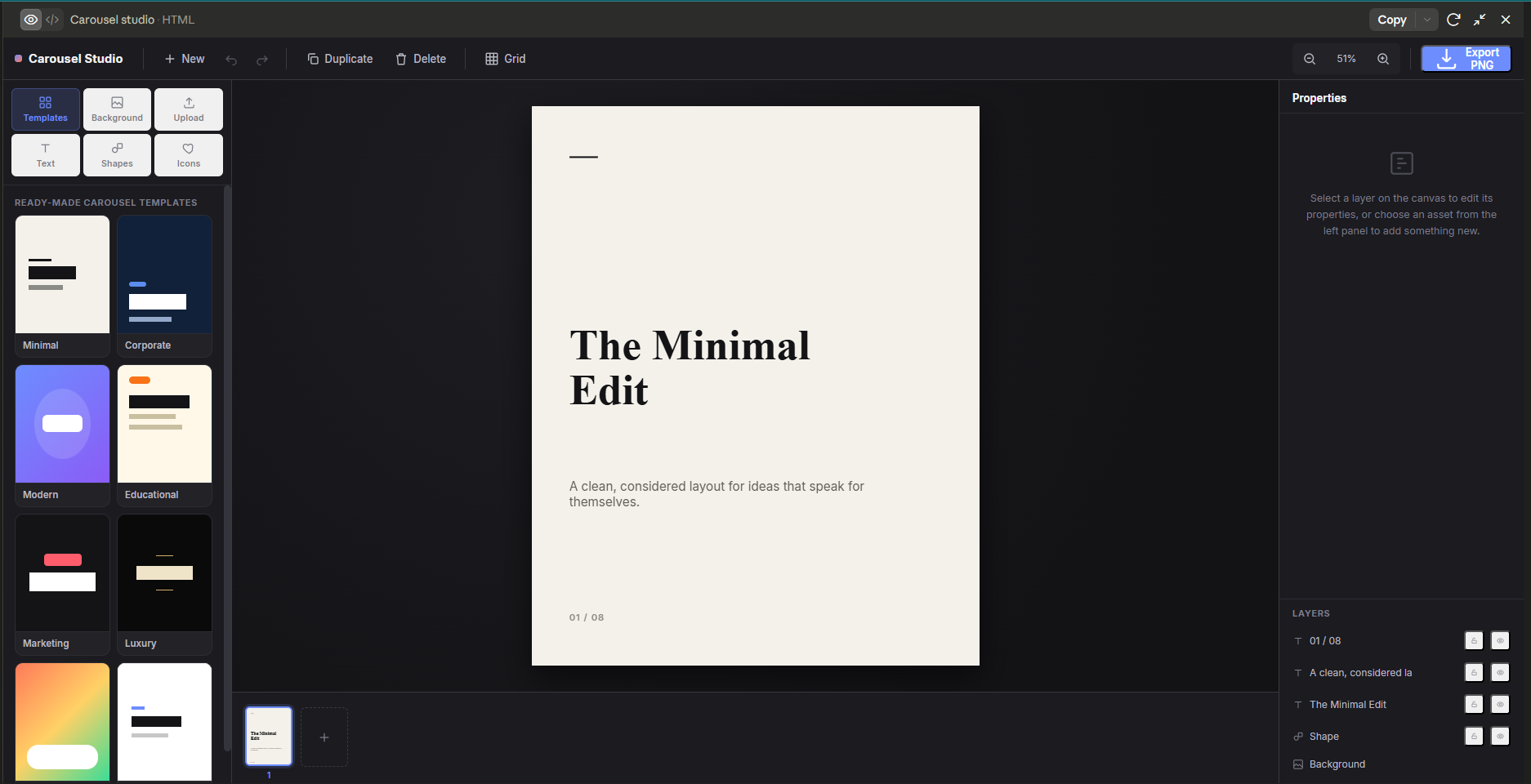
Carousel Studio - Claude Prompt
Build a Carousel Studio in a single-file HTML
Build me a professional **Carousel Studio** — a single-file HTML application for creating branded Instagram carousel slides. The application must run entirely inside the browser. No backend. No database. No login. No framework build tools. Use only: - HTML - CSS - Vanilla JavaScript - html2canvas (CDN) for PNG export The tool is NOT an AI generator. It does NOT generate images. It does NOT generate layouts. It does NOT generate designs. Instead, it is a visual design editor similar to a simplified Photoshop / Illustrator / Canva editor specifically optimized for creating Instagram carousel posts. ================================================== GOAL ================================================== The goal is to let users quickly build professional carousel slides by combining: - backgrounds - images - text - shapes - icons - templates using a drag-and-drop visual editor. Everything should be editable directly on the canvas. ================================================== CANVAS ================================================== Canvas size: 1080 × 1350 px Preview should automatically scale to fit the browser window while keeping the real export resolution. Viewport must remain fully scrollable at every zoom level — the true top/ bottom/left/right edges of the canvas must always be reachable, never clipped by the container. Zooming (toolbar buttons or Ctrl/Cmd + scroll) must anchor to the cursor position (or viewport center for button clicks), not jump the view back to canvas-center each time. ================================================== LAYOUT ================================================== Desktop Layout Left Sidebar -------------- Design Assets - Templates - Background - Upload Image - Text - Shapes - Icons Center -------------- Canvas Right Sidebar -------------- Properties Panel Top Toolbar -------------- New Undo Redo Duplicate Delete Zoom Export PNG ================================================== CORE FEATURES ================================================== Support unlimited editable layers. Layer Types - Text - Image - Shape - Background Every layer should support: Move Resize Rotate Lock Hide Duplicate Delete Bring Forward Send Backward Layer ordering ================================================== TEXT TOOL ================================================== Users can create unlimited text layers. Editable properties: Font Family Font Size Font Weight Letter Spacing Line Height Alignment Uppercase Color Opacity Shadow Outline Background Highlight Padding Border Radius Text Rotation Text Box Resize Double-click to edit text. Drag to move. ================================================== IMAGE TOOL ================================================== Users can upload images. Supported: PNG JPG WEBP Image editing: Move Resize Rotate Crop Opacity Border Radius Shadow Flip Horizontal Flip Vertical Fit Fill Contain Gradient Overlay Images support an optional fade-to-color gradient overlay (for legibility over photos): toggle on/off, overlay color, direction (top/bottom/left/ right/diagonal), fade-start position, and intensity. ================================================== BACKGROUND ================================================== Support: Solid Color Gradient Uploaded Image Image Fit Blur Brightness Contrast Overlay Color Overlay Opacity ================================================== SHAPES ================================================== Include: Rectangle Rounded Rectangle Circle Line Triangle Arrow Editable: Fill Fill Type: Solid or Gradient (2-color, adjustable angle, presets) — gradient fill must work correctly on every shape type: rectangle, rounded rectangle, circle, line, triangle, arrow. Stroke Stroke Width Opacity Rotation Corner Radius ================================================== ICONS ================================================== Provide several built-in SVG icons. Users can: Resize Recolor Rotate Move ================================================== TEMPLATES ================================================== Include several ready-to-use carousel templates. Examples: Minimal Corporate Modern Educational Marketing Luxury Colorful Clean Templates are editable. Users can modify every object after applying a template. ================================================== MULTI-CANVAS (SLIDES) ================================================== The editor supports multiple canvases within one project (true carousel, not just a single slide). - A thumbnail strip below the canvas shows every slide. - "+" adds a new blank slide without altering any existing slide. - Each slide keeps its own layers and its own undo/redo history. - Duplicate and delete controls appear on hover per slide. - At least one slide must always remain (last slide can't be deleted). - Switching slides must not lose unsaved edits on the slide being left. ================================================== PROPERTY PANEL ================================================== When an object is selected, the right panel should automatically show the editable properties for that object only. ================================================== MULTI SELECT ================================================== Support: Shift Select Multi Select Group Ungroup Align Left Align Right Align Center Align Top Align Bottom Distribute Horizontally Distribute Vertically ================================================== GUIDES ================================================== Include: Snap to Grid Snap to Objects Safe Margin Center Guides Smart Alignment Guides Optional Grid Overlay ================================================== SHORTCUTS ================================================== Implement keyboard shortcuts. Ctrl+C Ctrl+V Ctrl+Z Ctrl+Y Delete Arrow Keys Shift Resize Ctrl+D Duplicate Space = Pan Canvas Mouse Wheel = Zoom ================================================== RELIABILITY ================================================== Do not rely on native browser dialogs (confirm/alert/prompt) for destructive actions (delete slide, reset canvas, etc.) — these are frequently blocked in sandboxed/embedded previews. Use a custom in-app confirmation modal instead. ================================================== EXPORT ================================================== Export current slide as PNG. Use html2canvas. Export must preserve: Text Images Transparency Gradients Layer Order High Resolution ================================================== UI STYLE ================================================== Modern professional editor. Inspired by: Figma Adobe Express Canva Photoshop Dark UI. Rounded panels. Minimal. Icons inside small buttons (toolbar icon-only buttons, layer-list lock/hide, property-panel action grid, slide thumbnail hover actions) must be large enough to read clearly at a glance — don't let icon size shrink below legibility just because the button is small. Glassmorphism is acceptable but avoid excessive effects. Smooth animations. Professional typography. ================================================== PERFORMANCE ================================================== Everything must remain responsive. Avoid unnecessary re-rendering. Use requestAnimationFrame when appropriate. Use efficient DOM updates. ================================================== CODE QUALITY ================================================== Write clean, modular JavaScript even though everything is inside one HTML file. Separate logic into sections: Canvas Engine Layer Manager Selection Manager Property Panel History Manager Export Manager Template Manager UI Components Comment important sections. ================================================== IMPORTANT ================================================== Do NOT build an AI image generator. Do NOT build a graphic design generator. Do NOT use Fabric.js, Konva.js, or other canvas editor frameworks. Build the editor manually using HTML/CSS/JavaScript. The final output should feel like a lightweight Photoshop specifically designed for creating Instagram carousel slides.
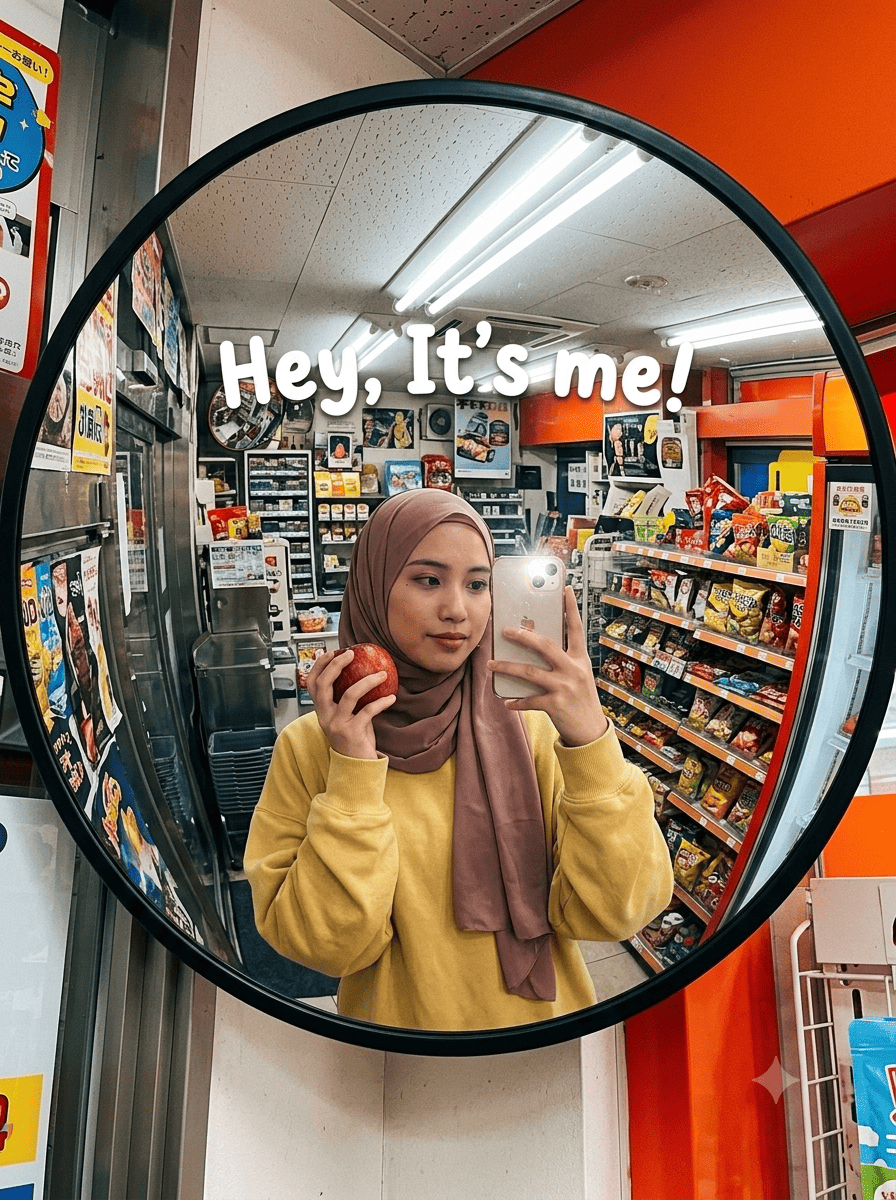
iPhone Mirror Selfie Portrait
Upload your reference image and then copy below prompt :
Ultra-realistic iPhone mirror selfie inside a tiny colorful convenience store, identity preserved exactly from reference image. Young woman taking a selfie into a large circular convex mirror mounted on the wall. One hand holds her phone while the other hand holds a red apple near the mirror. oversized yellow sweatshirt. Tiny cluttered store interior behind her with snacks, posters, shelves, random colorful products, fluorescent ceiling lights, metallic surfaces, orange and red accents, cramped layout. Convex mirror distortion creates stretched curved reflections around the edges. White playful text written across the mirror saying “Hey, It’s me!” in chunky soft lettering. Slight iPhone flash reflection, natural skin texture, realistic grain, imperfect framing, candid Pinterest-style snapshot aesthetic.